
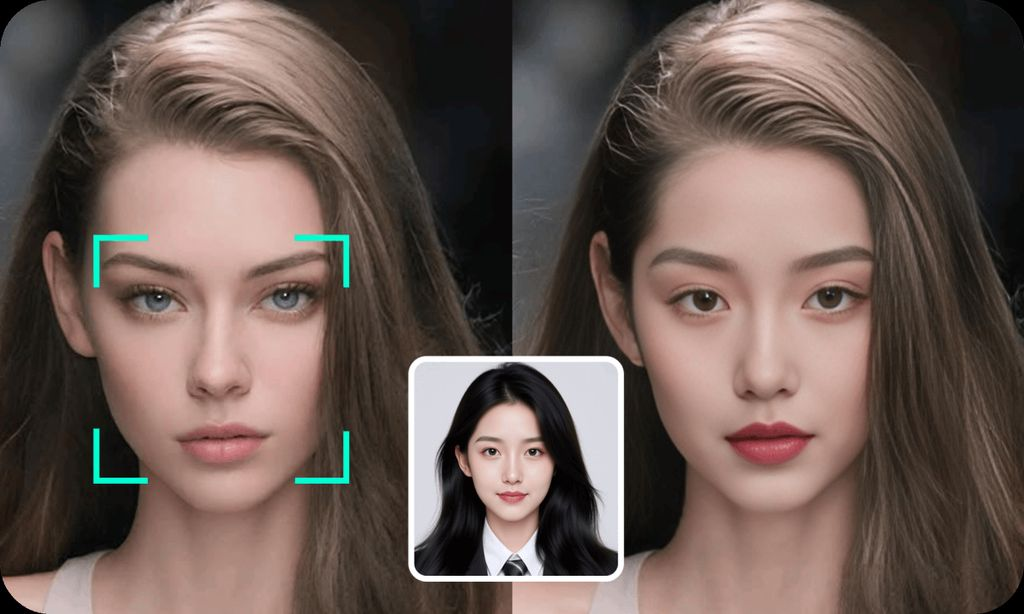
Swapping faces in a photo or turning a single still image into a moving video used to require real editing skill and expensive software. That’s no longer true. A new generation of AI tools now lets anyone upload a photo, pick a template or prompt, and get a polished result in minutes — no timeline, no keyframes, no learning curve.
Whether you’re a content creator making memes and reels, a marketer producing quick social ads, or just someone who wants to see what a photo would look like in motion, the tools below cover both ends of that workflow: face swapping and image-to-video generation. We tested pricing, output quality, speed, and ease of use across the most popular platforms available in 2026, and ranked them accordingly.
At a Glance
| Rank | Tool | Best For | Free Tier | Starting Paid Price |
| 1 | Magic Hour | All-in-one face swap, lip sync & image-to-video | Yes, no signup required to try | $10/month (billed annually) |
| 2 | DeepSwap | Simple face-swap videos and photos | Limited | ~$19/month |
| 3 | Reface | Quick, meme-style face swaps | Yes | ~$7.99/week |
| 4 | Vidnoz AI | Budget-friendly face swap and avatar videos | Yes | ~$11.99/month |
| 5 | Runway | Advanced image-to-video generation | Limited credits | ~$15/month |
| 6 | Pika | Creative image-to-video animation | Limited credits | ~$10/month |
1. Magic Hour — Best Overall
Magic Hour tops this list because it does something most competitors can’t: it handles both free face swap online work and ai image to video generation in one platform, without forcing you to juggle separate apps or subscriptions.
You can start creating immediately — no signup required — and the free tier is genuinely usable rather than a locked demo. Any credits you earn or purchase never expire, so nothing goes to waste if you take a break between projects. Under the hood, Magic Hour gives you access to a wide range of frontier AI models for face swap, lip sync, and talking photos, all ranked among the most realistic on the market, plus dozens of other video, image, and audio tools bundled into the same account.
What really sets it apart is the workflow design. Click-to-create templates get you a finished result in a couple of taps, and one-click multi-step workflows let you chain actions together — generate an image, upscale it, then animate it into video — without manually exporting and re-uploading between steps. Because so many top models live in one place, you can generate several variations of the same idea quickly and pick the best take, and generations run in parallel with no concurrency cap slowing you down. The team also ships new features on a weekly cadence, so the toolset keeps expanding rather than going stale.
On pricing, Magic Hour offers a free plan to start, then three paid tiers: Creator at $15/month (or $10/month billed annually), Pro at $39/month, and Business at $99/month for teams and high-volume use, each unlocking more credits, higher resolution exports, and faster processing. For most solo creators, the Creator plan’s ~$10–15/month price point delivers strong value against what competitors charge for a fraction of the tools.
Beyond the product itself, Magic Hour is built to hold up under real-world load — including live activations and sudden traffic spikes — and the API mirrors the full web app feature-for-feature, so developers building on top of it aren’t stuck with a stripped-down version. Support is notably responsive too, with founders known to jump into conversations directly. The whole experience is also optimized equally well on desktop and mobile, which matters if you’re creating on the go.
2. DeepSwap
DeepSwap is a straightforward face-swap tool aimed at both photos and short video clips. It’s easy to use and produces decent results for casual projects, though the free tier is quite limited and heavier use requires a subscription starting around $19/month.
3. Reface
Reface built its reputation on fast, meme-style face swaps for short clips and GIFs. It’s fun for quick, casual content, but it leans more entertainment-focused than professional, and its subscription is billed weekly rather than monthly, which can add up.
4. Vidnoz AI
Vidnoz AI offers face swap alongside AI avatar and talking-head video tools at a budget-friendly price. It’s a reasonable pick for beginners who want simple output without a steep learning curve, though model quality and customization options are more limited than higher-end tools.
5. Runway
Runway is a favorite among video professionals for advanced image-to-video generation, motion control, and editing features. It’s powerful, but the learning curve is steeper and the free credit allowance runs out quickly for regular use.
6. Pika
Pika focuses on creative, stylized image-to-video animation with a strong community around it. It’s great for experimenting with unusual visual effects, though it’s less suited to face-swap work specifically.
How We Chose These Tools
We evaluated each platform using the same criteria a regular creator would care about:
- Output quality — how realistic and consistent the face swaps and generated videos looked across different source images
- Ease of use — whether you can get a finished result without a tutorial
- Pricing and value — what you actually get for the price, including free-tier usability and whether credits expire
- Speed and reliability — generation times and whether the platform holds up during busy periods
- Feature breadth — whether the tool does one thing well or supports a full creative workflow
Tools that combined strong output quality with genuine accessibility — usable free tiers, fair pricing, and workflows that don’t require technical know-how — ranked higher on this list.
FAQs
Is it safe to use free face swap online tools? Reputable platforms process your photos securely and don’t share them publicly. Still, it’s worth checking a tool’s privacy policy before uploading personal images, especially for commercial projects.
Do I need design or editing experience to use AI image-to-video tools? No. Most modern tools, including Magic Hour, use templates and simple prompts, so no prior video editing skills are needed.
Are free plans good enough for real projects? For casual use and testing, yes. For commercial work, watermark-free exports, and higher resolution, a paid plan is usually necessary.
Do unused credits expire? This varies by platform. Magic Hour’s credits never expire, which is a meaningful advantage over tools that reset your balance every billing cycle.
Can these tools be used on mobile? Most work in a mobile browser, but experience varies. Magic Hour is built to work equally well on both desktop and mobile.
Conclusion
AI-powered face swap and image-to-video tools have matured fast, and the gap between “impressive demo” and “actually useful tool” has narrowed considerably in 2026. Magic Hour stands out as the strongest all-around option thanks to its combination of quality models, a genuinely generous free tier, flexible workflows, and fair pricing — making it the easiest starting point whether you’re swapping faces for fun or turning still photos into full videos. The other tools on this list each have their niche, so the right pick ultimately depends on how often you create and how much control you need over the final result.
